 MamaBee
Best Breastfeeding Apps 2026: 9 Nursing & Pumping Trackers

The best breastfeeding app for most iPhone families in 2026 is MamaBee: free left and right nursing timers, bottles and pumping in one log, free real-time sync for 2 caregivers and a free pediatrician PDF, with no ads on any tier. If a caregiver uses Android, choose Baby Tracker by Nighp; for an Apple Watch nursing timer you buy once, Baby Feed Timer; and for exclusive pumping, Pump Log.
This article is written by Realm Labs, the developer of MamaBee. We scored every app, including ours, on the same published criteria.
Every price, rating and feature below was checked on the US App Store, Google Play and each developer's own website on November 15, 2026.
Quick picks: the best breastfeeding app for each need
| Award | App | Why |
|---|---|---|
| Our top pick: best overall nursing + pumping tracker for iPhone families | MamaBee | Free left/right timers, bottles and pumping in one log, free real-time sync for 2 caregivers, and no ads on any tier |
| Best for your pediatrician or lactation consultant | MamaBee | Free pediatrician PDF, plus CSV and JSON export |
| Best for Android and mixed-phone families | Baby Tracker – Newborn Log (Nighp) | Nursing timer that records the last side, pumping inventory, PDF export, $4.99 once to remove ads, on iPhone and Android |
| Best nursing timer for Apple Watch, one-time price | Baby Feed Timer | Which breast is next on screen, in reminders and on Apple Watch; $9.99 once |
| Best free pick for iPhone + Android couples | Huckleberry | Free two-sided timer and multi-caregiver sync on both platforms |
| Best for hands-free logging | Sprout Baby | Apple Watch double tap, Siri, widgets and Live Activities |
| Best for exclusive pumping | Pump Log | The pumping specialist: freezer stash, countdown and a power pumping timer; one-time upgrade |
| Best for Medela pump owners | Medela Family | Free; syncs Medela smart pumps and tracks stored milk |
Breastfeeding app scores
| App | Feeding tools (×2) | 3 AM speed (×1) | Sharing cost (×1.5) | No ads (×1.5) | Price (×0.5) | Doctor export (×1.5) | Privacy (×1.5) | Insights & AI (×0.25) | Platforms & track record (×0.25) | Feeding score |
|---|---|---|---|---|---|---|---|---|---|---|
| MamaBee | 6 | 7 | 10 | 10 | 10 | 10 | 10 | 9 | 2 | 8.7 |
| Baby Tracker (Nighp) | 8.8 | 9 | 9 | 6 | 9 | 9 | 8 | 7 | 10 | 8.3 |
| Baby Feed Timer | 8.3 | 9 | 8 | 7 | 8 | 7 | 8 | 6 | 10 | 7.9 |
| Huckleberry | 6.8 | 7 | 10 | 9 | 7 | 6 | 8 | 8 | 10 | 7.8 |
| Sprout Baby | 6.8 | 9 | 7 | 9 | 4 | 8 | 8 | 6 | 7 | 7.6 |
| Feed Baby | 5.8 | 5 | 7 | 7 | 7 | 6 | 8 | 3 | 6 | 6.4 |
| Medela Family | 5 | 5 | 3 | 9 | 10 | 7 | 8 | 4 | 6 | 6.3 |
| Pump Log | 4.8 | 8 | 2 | 8 | 8 | 3 | 8 | 4 | 5 | 5.5 |
| Glow Baby | 6.3 | 6 | 3 | 4 | 5 | 3 | 8 | 7 | 7 | 5.2 |
A breastfeeding app should start a feed one-handed in the dark, remember the last side, log pumped milk and bottles, and show the pattern to your partner and doctor. Our best baby tracker apps comparison covers sleep and growth; this ranking is only about feeding.
What each breastfeeding app offers
| App | Nursing timer | Next-side cue | Pumping | Partner sharing | Android / Apple Watch | US price |
|---|---|---|---|---|---|---|
| MamaBee | Free L/R timers | No | Pumping and bottle log | Free real-time sync for 2 (both on iPhone) | No / No | Free; Premium $4.99/mo or $49.99/yr |
| Baby Tracker (Nighp) | Time per breast | Records the last side used | Sessions, amounts, milk inventory | Sync group across devices | Yes / Yes | Free with ads; Remove Ads $4.99 once; Plus $5.99/mo or $49.99/yr |
| Baby Feed Timer | L/R, pause, switch mid-feed | Yes, plus feed-due reminders | Pump log | iPhone and Android sync, web viewer | Yes / Yes | 7-day trial, then $9.99 once |
| Huckleberry | Two-sided timer (free) | Not stated | Pumping log (free) | Caregivers share one account (free) | Yes / Yes (paid) | Free; Plus $11.99/mo or $68.99/yr; Premium $14.99/mo or $119.99/yr |
| Sprout Baby | Nursing timer | Not stated | Timer, time and amount | Real-time; one plan covers invitees | Yes / Yes | $59.99/yr, $14.99 to $19.99/mo or $5.99/wk |
| Feed Baby | One-touch nursing log | Not stated | Pump amounts | Sync across any number of devices | Yes / Yes | In-app unlocks $5.99 and $6.99 |
| Medela Family | Breastfeeding log | Not stated | Smart-pump sync; milk storage for Medela pump users | Not stated | Yes / Not stated | Free, no in-app purchases |
| Pump Log | Pump timer only | No | Sessions, side, freezer stash, countdown | Not stated | No / Yes | Free to try; Unlimited Records Upgrade $19.99 once |
| Glow Baby | Nursing sessions and durations | Not stated | Pump log with storage details | Extra caregivers need the Family Plan (about $90/yr) | Yes / Not stated | Free with ads; Premium $59.99/yr |
The 9 best breastfeeding and pumping apps, ranked
1. MamaBee: best overall nursing + pumping tracker for iPhone families, 8.7
Who it's for: most iPhone families: nursing and pumping parents who want a fast, free, ad-free feeding log shared with a partner, and a clean report for the pediatrician or lactation consultant.
What's free: one-thumb logging for breastfeeding with left and right timers, bottles, pumping and diapers (wet, dirty, mixed or dry), plus sleep, solids and health logs. Also growth with WHO percentiles, 45+ CDC milestones, 7-day insights, widgets, real-time sync for 2 caregivers, and CSV, JSON or pediatrician PDF export.
Price: free. Every feeding log is in the free tier, so you don't need Premium to track nursing, bottles or pumping. Premium ($4.99 a month or $49.99 a year) adds Sleep Coach nap prediction, unlimited Bee AI, the full vaccine schedule, multi-baby sync and extra co-parents.
Strengths: no ads on any tier, and partner sync and the pediatrician PDF are free. When a lactation consultant asks how many feeds and wet diapers your baby has had, you hand over a tidy summary instead of scrolling. Logs stay on your iPhone and reach Realm Labs servers only if you turn on Co-Parent Sharing, and we never sell your data or use it to train external AI.
Limits: the one reason to pick something else is Android. MamaBee is iPhone-only (iOS 17.6 or later), with no Android, iPad or Apple Watch app yet (they're on the roadmap), so sync needs both caregivers on iPhone; if a caregiver uses Android, choose Baby Tracker by Nighp. There's no which-side-next or feed-due reminder like Baby Feed Timer's, and no stash or inventory tracker like Pump Log's or Nighp's. It's also new, with only a handful of US ratings.
The AAP adds that by 5 to 7 days old, a well-fed newborn should have 6 or more wet diapers a day with pale urine, and loose yellow stools. Log wet and dirty separately so the count is easy to read back.
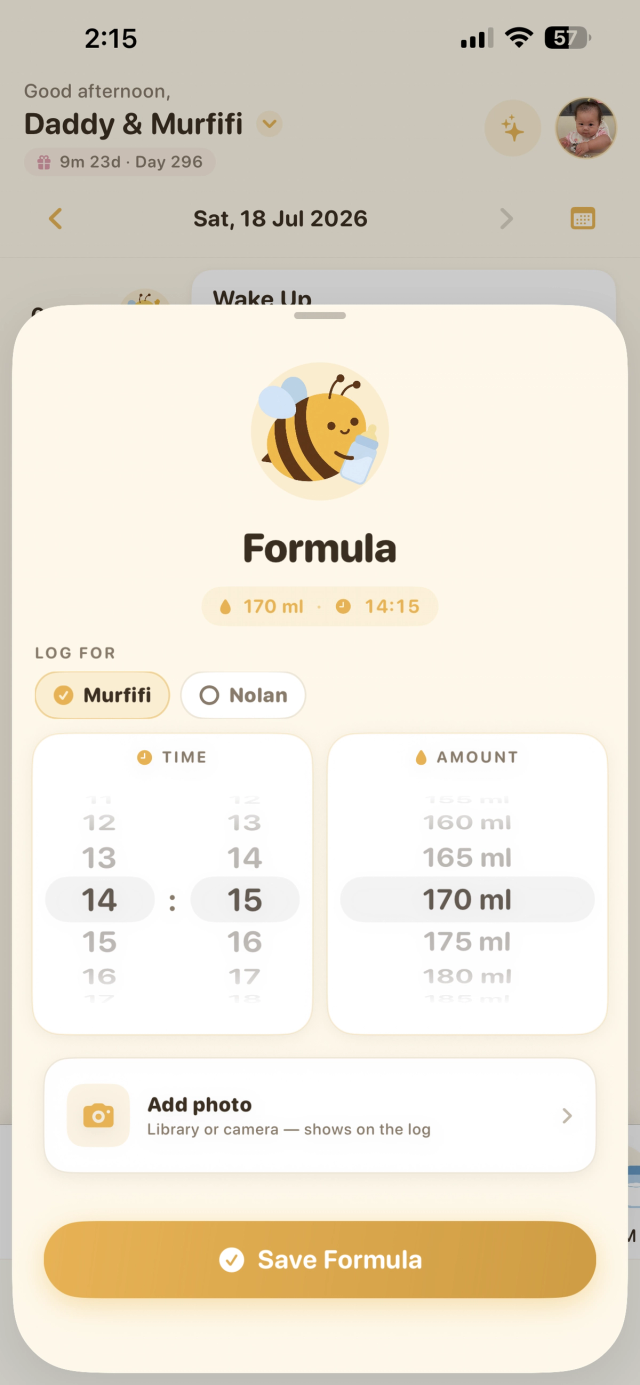
Start MamaBee free: left/right timers, pumping and bottles, partner sync and a pediatrician PDF, with no ads.
Get the app2. Baby Tracker – Newborn Log (Nighp): best for Android and mixed-phone families, 8.3
Who it's for: families who want a fast, complete feeding log on iPhone and Android, including a caregiver on Android, and would rather pay once than subscribe.
What's free: the whole tracker, with ads: a nursing timer that records time on each breast and the last side used, bottles, pumping amounts, diapers, sleep and WHO growth.
Price: Remove Ads is $4.99 once. Plus ($5.99 a month or $49.99 a year) adds What's Next timing cues.
Strengths: the best pumping-to-bottle bookkeeping of the general trackers. Nighp's FAQ says the pumping inventory is total pumped milk minus bottle-fed breast milk, and you can correct it by hand. Records export as a PDF to email or print for your doctor. Widgets, Live Activities, Apple Watch and Siri, plus 227,374 US ratings at 4.8 stars since 2014.
Limits: the free version shows ads. Nighp's FAQ says the Apple Watch features and Siri Shortcuts come with the paid upgrade. Its listing doesn't mention reminders that say which breast to start on, as Baby Feed Timer's do.
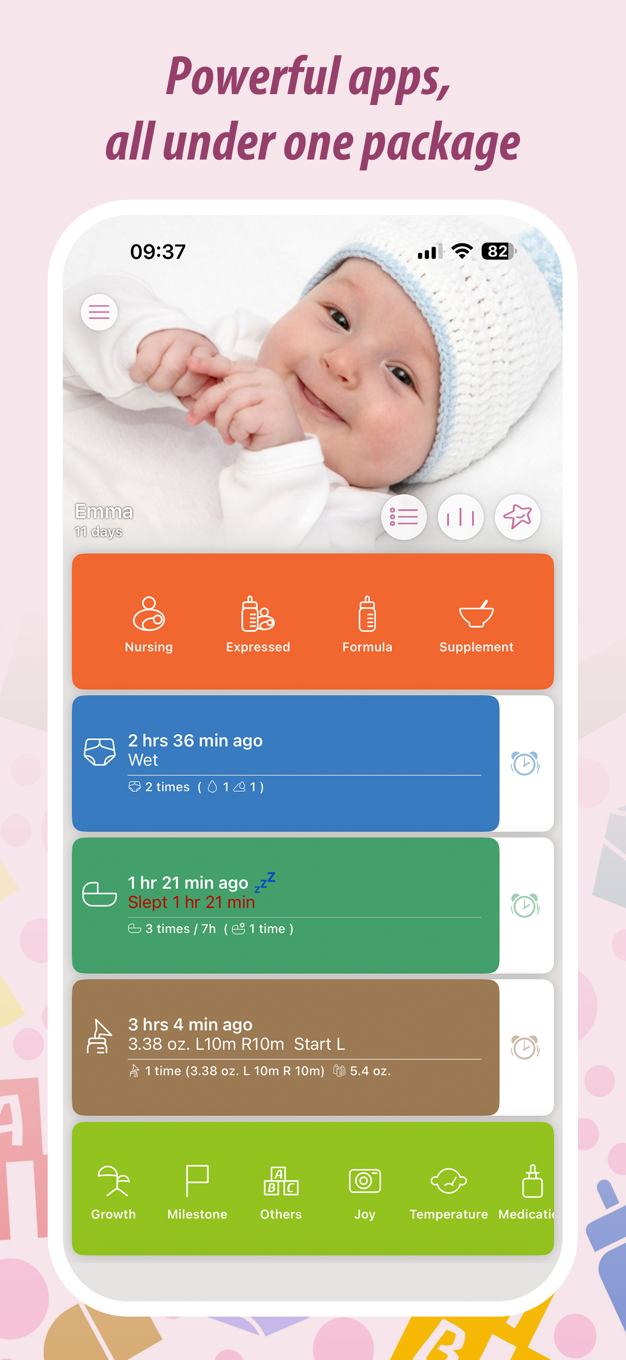
3. Baby Feed Timer: best nursing timer for Apple Watch, one-time price, 7.9
Who it's for: nursing parents who want the sharpest left/right timer, an Apple Watch app, and a partner on Android.
What's free: a 7-day trial. After that, the developer says, the app stops working, apart from exporting your data, until you buy the full version. You're never billed automatically.
Price: $9.99 once for the full version.
Strengths: built around nursing since 2010. Big left and right buttons, pause, and switching breasts within one feed. It shows time since the last feed, when the next is due and which breast to use next, and reminders can reach you through Do Not Disturb. It also logs bottles, pumps, diapers, sleep and growth. Data syncs between iPhone and Android, with a web viewer. Apple Watch, Siri and an automatic night theme, and 24,651 US ratings at 4.9 stars.
Limits: there's no lasting free tier. Pumping is a log, without a stash tracker. Export is by email rather than a formatted doctor report. Its Google Play listing says it contains ads. Our Baby Feed Timer vs MamaBee comparison goes deeper.
4. Huckleberry: best free pick for iPhone + Android couples, 7.8
Who it's for: couples on mixed phones who want a free, ad-free feeding log, and may later pay for sleep help.
What's free: a one-touch tracker, a breastfeeding timer for both sides, pumping, reminders and sync across caregivers, who sign in to the same account.
Price: Plus is $11.99 a month or $68.99 a year; Premium is $14.99 a month or $119.99 a year. Both are mostly about sleep, such as SweetSpot nap prediction.
Strengths: 78,831 US ratings at 4.9 stars and 1M+ Google Play downloads. The free tier works across iPhone and Android, with no ads label on Google Play.
Limits: widgets, Live Activities and Apple Watch need a paid plan. Enhanced Reports are paid, and we couldn't find a file export or a which-side-next cue on the listing. See our Huckleberry vs Baby Tracker comparison for more.
5. Sprout Baby: best for hands-free logging, 7.6
Who it's for: families happy to subscribe for a polished all-in-one tracker with strong Apple Watch support.
What's free: Sprout's App Store listing is built around an auto-renewing subscription. Its help centre says that if you cancel, you can still see everything you entered but can't add new data.
Price: Premium is $59.99 a year, $14.99 to $19.99 a month, or $5.99 a week. A $29.99 Short Term Care option is also listed.
Strengths: timers for nursing, bottles and pumping. Log from Apple Watch with double tap, by Siri, or from widgets and Live Activities. Sharing is real time, and one subscription covers invited caregivers. It makes a full doctor report and CSV files. 31,568 US ratings at 4.8 stars.
Limits: the highest yearly price here, and no logging without a subscription. Its listing doesn't mention a which-side-next cue or a stash tracker. It needs iOS 18.6 or later, and the Android app is much smaller (10K+ downloads).
6. Feed Baby: simple and cheap, but not recently updated, 6.4
Who it's for: parents who want a basic nursing, pumping and diaper log with big buttons and device sync.
What's free: the app is free to download, with in-app unlocks.
Price: two unlocks are listed, at $5.99 and $6.99.
Strengths: single-touch feeds, pump amounts, diapers, sleep and growth. Sync between any number of devices, CSV export, Apple Watch and Android. 11,106 US ratings at 4.6 stars.
Limits: the last iOS update was in May 2021, so expect rough edges on new iPhones. The listing doesn't mention which-side-next cues. Its Google Play listing says it contains ads.
7. Medela Family: best for Medela pump owners, 6.3
Who it's for: parents who already own a Medela Sonata, Freestyle Flex or Swing Maxi smart pump.
What's free: everything. The US listing has no in-app purchases.
Price: free.
Strengths: it records sessions in real time from those pumps, and its virtual milk storage tracks your stash and expiration dates. Records export for your pediatrician, and there are expert articles and an Android app.
Limits: the milk storage and voice control are only for Medela pump users, per the listing. We couldn't find partner sharing or a which-side-next cue on the listing. US ratings average 4.3 stars from 4,906, the lowest here.
8. Pump Log: best for exclusive pumping, 5.5
Who it's for: parents who exclusively pump. Its own listing says it is "NOT the all-in-one baby tracker".
What's free: free to download and try. The developer says there's no subscription and points you to the app for current free limits.
Price: the US listing shows an Unlimited Records Upgrade at $19.99, a one-time purchase.
Strengths: the deepest pumping tools here: a power pumping timer, volume and side per session, a freezer stash, and a countdown toward your feeding goal. Full-screen alarms on iOS 26, widgets and Apple Watch. 5,860 US ratings at 4.9 stars.
Limits: it scores low overall because our criteria reward nursing timers, bottles, sharing and export, which it doesn't try to do. iPhone and Apple Watch only. We couldn't find partner sharing or export on its listing or site. Our exclusive pumping schedule guide pairs well with it.
9. Glow Baby: community-minded, but sharing and export cost extra, 5.2
Who it's for: parents who want logging plus articles and a community, and don't mind ads.
What's free: full logging, including a breastfeeding tracker and a pump log with storage details, with ads.
Price: Glow Premium is $59.99 a year. Glow's FAQ says inviting other caregivers needs the Family Plan, about $90 a year.
Strengths: a wide log, AI forecasts for the next nap and feed, and a Premium plan that works across all Glow apps. 23,460 US ratings at 4.7 stars, and an Android app with 1M+ downloads.
Limits: without a subscription, Glow's FAQ says you can only track on your own account, and PDF or CSV export is a Premium feature. The free version has ads, and the last iOS update was November 2025. See Glow Baby vs MamaBee.
What to track in the first weeks
The CDC and the American Academy of Pediatrics (AAP) point to the same few signs that a breastfed newborn is getting enough milk. The AAP suggests that, if you or your pediatrician are concerned about intake, you keep a record of wet diapers and bowel movements in the early days. Any app here can be that record.
Feeds per day
The CDC says a breastfed baby will feed about 8 to 12 times in 24 hours. In the first days your newborn may want to eat as often as every 1 to 3 hours, and later most exclusively breastfed babies feed every 2 to 4 hours, sometimes closer together during cluster feeding. The AAP notes that newborns usually nurse about every 2 hours, counted from the start of one feed to the start of the next. If your baby's feeds come in bunches, our cluster feeding guide explains what's normal.
What to log: the start time of every feed and, if you like, which side. Your app's count per 24 hours is the number your pediatrician will want.
Wet and dirty diapers
Diapers are the easiest output to count. The CDC lists these minimums for the first week:
| Age | Wet diapers (at least) | Poops (at least) |
|---|---|---|
| Day 1 | 1 | 1 |
| Day 2 | 2 | 3 |
| Day 3 | 5 | 3 |
| Day 4 | 6 | 3 |
| Days 5 to 7 | 6 | 3 |
Weight checks
The CDC says it's normal for breastfed babies to lose some weight in the first week, and they should be back to birth weight by day 10 to 14. The AAP says a well-nourished newborn loses no more than 8% to 10% of birth weight in the first few days. It advises a first checkup no more than 48 hours after hospital discharge, where the weight check shows whether feeds are working. Log each weight your doctor records.
When to call the pediatrician or a lactation consultant
The CDC lists these signs that a baby might not be getting enough milk, and says to speak to your baby's health care provider right away if you're worried:
- Your baby breastfeeds fewer than 8 times in 24 hours, most days.
- You can't see or hear your baby swallowing while feeding.
- Your baby has trouble staying latched, or you hear clicking sounds.
- Your baby seems fussy after feeds.
- Your baby is still losing weight after day 5.
- By 5 days old, there are fewer than 3 poops and fewer than 6 wet diapers a day.
- Your baby's skin looks a bit yellow.
The AAP's warning signs add feeds consistently shorter than about 10 minutes or longer than about 50 minutes in the first few months, and a baby who still seems hungry after most feeds. For cracked or damaged nipple skin, or pain that doesn't improve over the first 1 to 2 weeks, the CDC suggests talking to a lactation consultant or your doctor or nurse. If you're worried, call right away rather than waiting for a trend.
How we scored
We scored each app out of 10 on nine published criteria, with the same rules for everyone, including MamaBee, then weighted them. The weights add up to 10 and follow what feeding families feel day to day: the feeding tools themselves, what you get without paying or seeing ads, what partner sharing costs, a report your pediatrician can read, and how your data is handled.
- Feeding tools (×2): the average of four sub-scores: left/right timing with pause and side switching; a cue for which breast to start on, or the last side shown; pumping sessions, amounts and a stored-milk inventory; and formula and expressed-milk bottles in the same log.
- 3 AM speed (×1): one-handed logging, widgets, Apple Watch and voice.
- Sharing cost (×1.5): what it costs for a partner to log on their own phone: 10 for free real-time sync, lower when it needs a purchase, a subscription or a family plan, or when we couldn't find sharing at all.
- No ads (×1.5): 10 for none on any tier; lower when the free version or a store listing shows ads.
- Price (×0.5): what a year of useful feeding tracking costs.
- Doctor export (×1.5): a report or file for a pediatrician or lactation consultant, and whether it's free.
- Privacy (×1.5): 10 for local-first storage, where logs stay on the phone unless you turn sharing on; 8 for account-based cloud sync, the norm for baby trackers. We used only what each developer states.
- Insights & AI (×0.25): feed-due reminders, trend insights, predictions and an assistant that answers questions about your log.
- Platforms & track record (×0.25): Android, iPad and Apple Watch apps, rating counts and years on the market.
Facts come only from each app's US App Store and Google Play listings and the developer's website, checked on November 15, 2026. A feature we couldn't find there scored as missing or limited, which may understate some apps. MamaBee's weak spots (no next-side cue, no stash tracker, iPhone only and few ratings) count against it here exactly as they would for any other app.
How to choose a breastfeeding app
Start with your phones. If everyone who logs feeds uses an iPhone, start with MamaBee: it's free, shows no ads and keeps nursing, bottles and pumping in one shared log. If you and your partner are on different platforms, MamaBee and Pump Log are out; Baby Tracker by Nighp and Huckleberry work across both.
Then match the app to how you feed:
- Mostly nursing: Baby Feed Timer's next-side reminders are the best here. MamaBee and Huckleberry give you free left/right timers without them.
- Nursing plus some pumped bottles: Nighp's Baby Tracker keeps a running inventory of pumped milk. If you're about to start, read our guide to introducing a bottle to a breastfed baby.
- Exclusive pumping: Pump Log, or Medela Family if you own a Medela smart pump.
- Combination feeding: any general tracker works. Our breastfeeding vs formula guide covers the trade-offs, and the baby feeding calculator gives a starting estimate for formula amounts.
Finally, think about the night shift: a shared log means nobody asks "which side?" at 3 AM, and MamaBee's partner sync does it for free. Our newborn night shifts guide shows how couples split the night. For apps beyond feeding, see our hub of the best baby apps.
Frequently asked questions
What is the best breastfeeding app?
For most iPhone families, MamaBee: free left/right timers, bottles, pumping and diapers in one log, free real-time sync for 2 caregivers and a free pediatrician PDF, with no ads on any tier. If a caregiver uses Android, Baby Tracker by Nighp is the pick, with ads removed for $4.99 once. Baby Feed Timer is the best dedicated nursing timer at $9.99 once.
Is there a free breastfeeding app with no ads?
Yes. MamaBee's free tier has left/right timers, bottles, pumping and 2-caregiver sync with no ads on any tier, on iPhone. Huckleberry's free tier has a two-sided timer and caregiver sync on iPhone and Android, with no ads label on Google Play. Medela Family is free with no in-app purchases.
Which breastfeeding app tells you which side to start on?
Baby Feed Timer shows which breast to use next on screen, in its feed reminders and on Apple Watch. Nighp's Baby Tracker records which side you last used. MamaBee has left/right timers but no next-side reminder.
What is the best app for tracking pumping and a milk stash?
Pump Log is the most complete for exclusive pumping, with a freezer stash and a countdown, for a $19.99 one-time upgrade. Nighp's Baby Tracker keeps a pumped-milk inventory inside a full baby log, and Medela Family tracks stored milk for Medela pump users.
What should I track for my pediatrician or lactation consultant?
Track feeds per 24 hours, wet and dirty diapers, and each weight check. The CDC says breastfed babies usually feed 8 to 12 times a day and should be back to birth weight by day 10 to 14. Export or show the summary at the visit.
The takeaway
There's a specialist for every feeding style, but one app we recommend for most iPhone families: MamaBee. It puts left/right timers, bottles and pumping in one free log, syncs with your partner for free, hands your pediatrician a clean PDF and never shows ads. Pick Baby Tracker by Nighp if a caregiver uses Android, Baby Feed Timer for an Apple Watch nursing timer you buy once, Pump Log if you exclusively pump, and Huckleberry if you're a mixed-phone couple who wants a free log.
Download MamaBee free and log every feed, bottle and pump with one thumb, no ads.
Get the appSources: Baby Tracker App Store listing, Baby Tracker FAQ, Baby Tracker on Google Play, Baby Feed Timer App Store listing, Baby Feed Timer website, Baby Feed Timer on Google Play, Huckleberry App Store listing, Huckleberry pricing, Huckleberry on Google Play, Sprout Baby App Store listing, Sprout help centre: after a subscription ends, Sprout on Google Play, Glow Baby App Store listing, Glow Baby app FAQ, Glow Premium, Pump Log App Store listing, Pump Log website, Medela Family App Store listing, Medela Family on Google Play, Feed Baby App Store listing, CDC: How Much and How Often to Breastfeed, CDC: Newborn Breastfeeding Basics, CDC: What to Expect While Breastfeeding, AAP HealthyChildren: How to Tell if Your Breastfed Baby is Getting Enough Milk, AAP HealthyChildren: Warning Signs of Breastfeeding Problems, AAP HealthyChildren: How Often and How Much Should Your Baby Eat?.
Competitor prices, ratings and features checked on the US App Store, Google Play and each vendor's own website as of November 15, 2026, and may change. This article is general information, not medical advice. Always check with your pediatrician about your baby.
← All MamaBee articles

